BMW software updates: Remote Software Upgrade and workshop programming
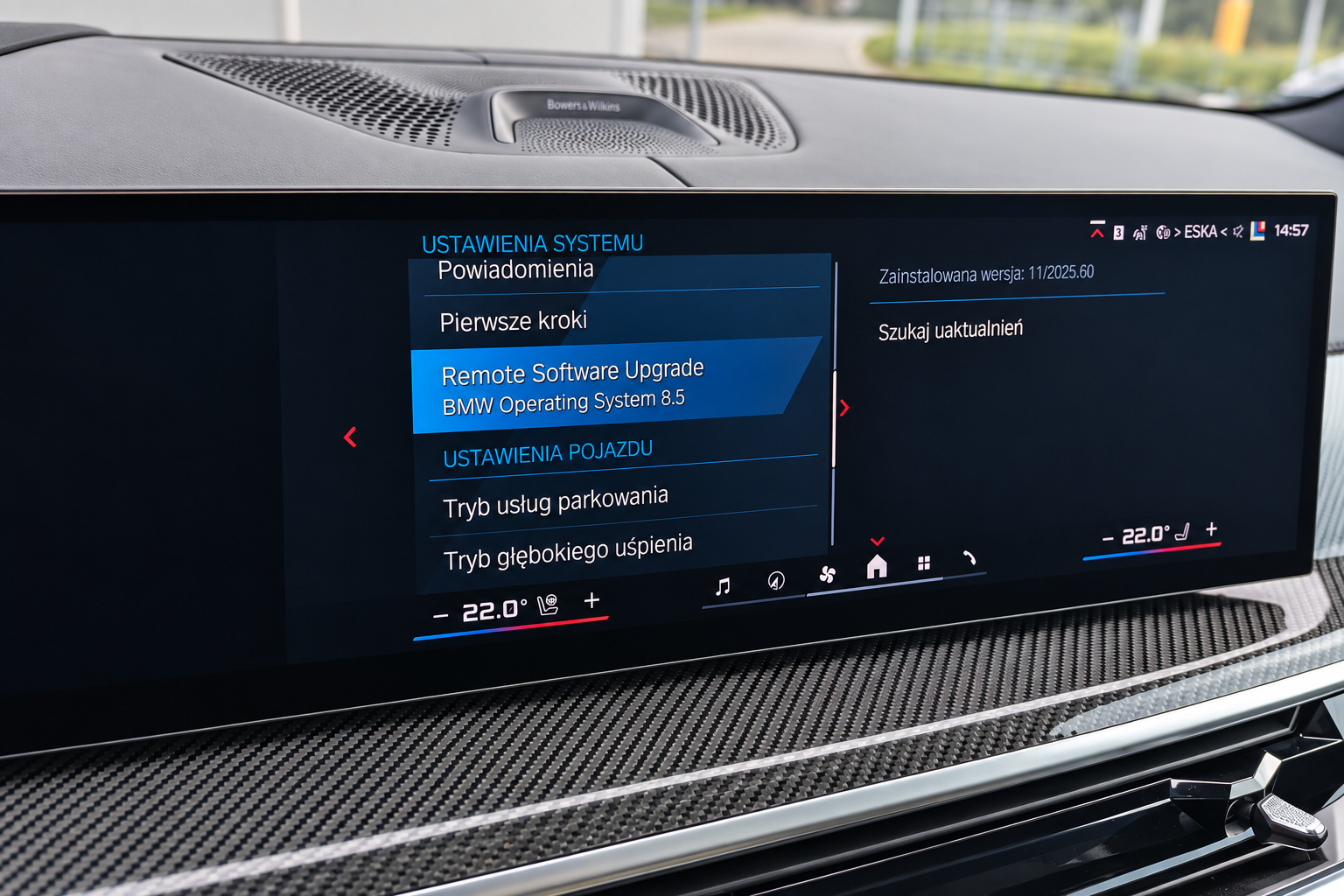
Software updates help keep BMW’s electronic systems up to date. They can fix software errors, improve existing functions and add new capabilities. On supported vehicles, some updates are available without a workshop visit through Remote Software Upgrade, or RSU.
However, the version your car offers to install over the air is not necessarily the latest one available for it. If no update appears, installation is postponed or the car has previously been retrofitted, it is worth checking the vehicle’s software status and technical condition first.
What an update offers
BMW describes the contents of each release in its Release Notes. These set out the changes and limitations specific to that update. Available functions depend on the model, equipment, country and installed software: an update cannot add capabilities that the vehicle’s hardware does not support.
For an owner, the main question is what will change in their car: whether the update fixes a fault they are experiencing, improves a system or adds a function they need. It is useful to establish this before installation.
How over-the-air updates work
BMW notifies you of an available update on the vehicle’s display or in the My BMW app. The manufacturer describes two ways to download the package, with availability depending on the vehicle:
- Via a smartphone. The package is first downloaded to the My BMW app and then transferred from the phone to the vehicle. This is the sequence specified in BMW’s instructions. In the procedure described for OS7 and later, the transfer takes place while driving; an iPhone requires a Bluetooth audio connection and Wi-Fi, while an Android phone requires Wi-Fi.
- Directly to the vehicle. The package is downloaded using the vehicle’s built-in mobile data connection, without first downloading it to a phone.
In both cases, transferring data to the vehicle and installing the update are separate stages. A completed download in My BMW means the package has been downloaded to the phone; it still needs to be transferred to the vehicle and installed.
Vehicles with Operating System X can also download updates over Wi-Fi, for example through a home network. BMW describes this option in its documentation; it should not be assumed to be available across all iDrive generations.
The update is installed while the vehicle is parked. BMW gives an approximate installation time of 20 minutes after the download is complete; downloading the package and preparing for installation take additional time. The car cannot be driven during installation.
Why a newer version may be available through ISTA
RSU is rolled out in separate update campaigns. Through ISTA — BMW’s system for diagnostics and programming — a newer software level may be available for the vehicle, even if that version has not yet been offered to it over the air.
This is known as the integration level, or I-Level: it describes the coordinated software state of the vehicle’s electronic control units. The latest available I-Level is determined for the specific BMW, taking its generation and equipment into account.
A “no updates available” message in My BMW therefore does not settle the question. BMW documents cases where a vehicle is not included in a particular RSU campaign but can still be updated using ISTA.
What to consider before installation
The vehicle checks whether the conditions for RSU are met, including the battery’s state of charge and the parking conditions. Engine temperature also matters in vehicles with a combustion engine. If the package has been downloaded but installation does not start, the cause needs to be established; this symptom alone is not enough to conclude that the battery is faulty.
Vehicles with coding changes, retrofits or tuning require particular attention. BMW’s Release Notes state that modifications not approved by the manufacturer may be lost or cause problems during an update. For electric vehicles and plug-in hybrids, the charging instructions also matter: charging may be interrupted and may need to be restarted.
BMW also describes a serious RSU failure scenario in which engine starting is blocked and the vehicle may have to be transported to a workshop. In certain situations, recovery can be carried out on site. If an error message appears, follow the vehicle’s instructions and seek technical assistance.
Updating software at a workshop
A workshop can determine the appropriate software level and prepare the vehicle for programming, taking its condition and modifications into account. During the work, the vehicle is connected to an external power supply for Battery Support. This maintains stable power for the vehicle’s electrical system and helps reduce the risk of interruption caused by a voltage drop. Connecting a suitable power supply is part of BMW’s service procedures for programming with ISTA.
RSU remains a manufacturer-provided method of updating the vehicle. A workshop visit is particularly useful when you need to check whether a newer software level is available, investigate an error or account for the specific features of your vehicle.
Updating your BMW at BavELab
At BavELab — Bavarian Electronics Laboratory in Kraków, we can program your BMW to any compatible integration level, including the latest one. We select the appropriate level based on what you want to achieve, the vehicle’s equipment and its condition. If a newer version is not yet offered through RSU, it can be installed at a workshop without waiting for your car’s over-the-air update campaign.
The work is carried out with diagnostic equipment connected and Battery Support in place. Before updating, it is important to identify the available software version, assess the vehicle’s condition and consider the effect of any previous modifications.
Contact BavELab if you would like to:
- check whether newer software is available for your BMW;
- find out why RSU is not offered or will not install;
- discuss an update after coding, retrofitting or tuning;
- have the update carried out at a workshop with Battery Support and assistance from a specialist.
Book a BMW software update at BavELab. Send us the vehicle’s VIN and a brief description of what you would like to achieve. This will help us discuss the available update and how to prepare the vehicle for your visit.